Job board
Every opening we can reach, pulled straight from the employer
What it does
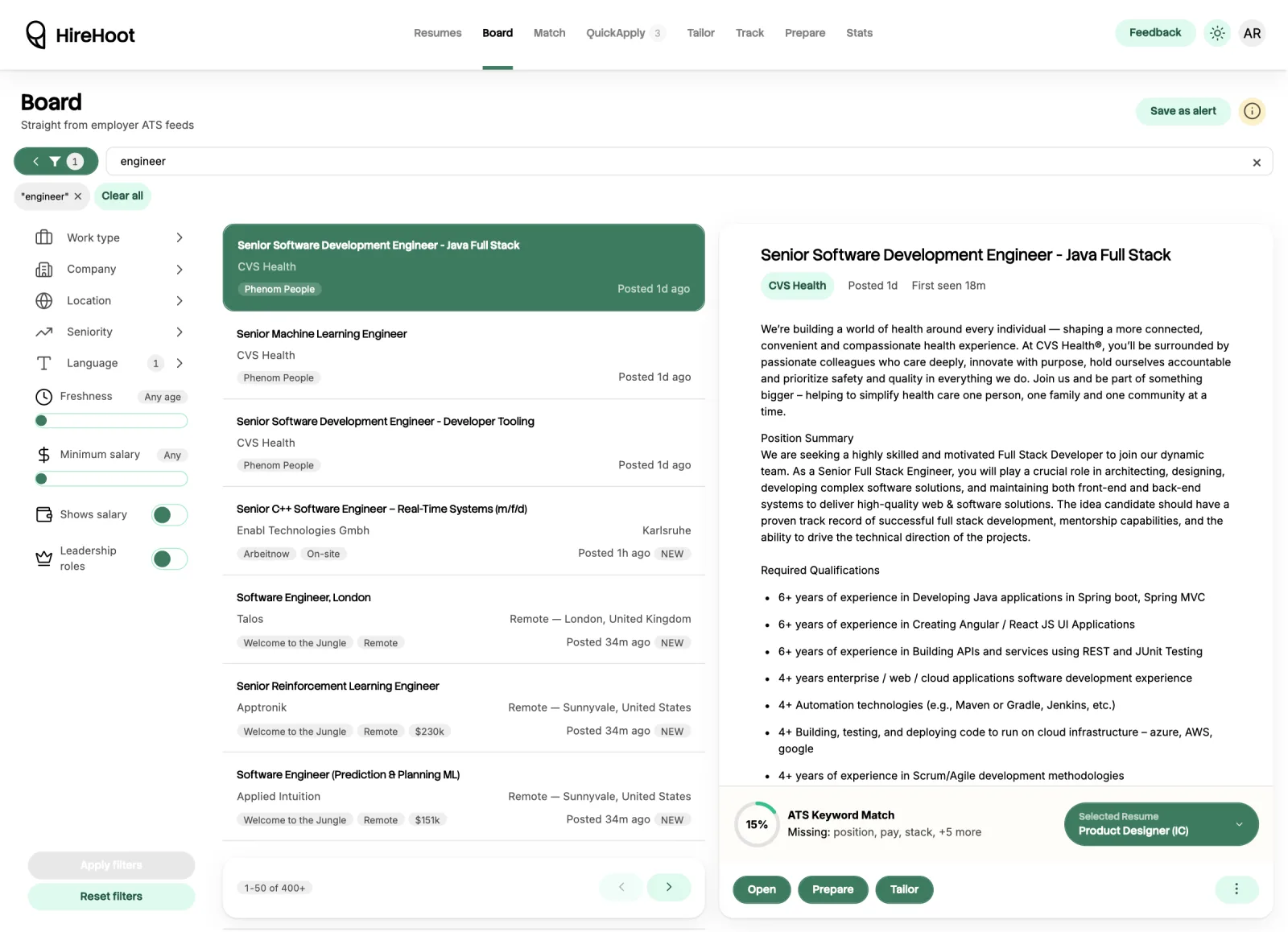
The board is the searchable index of every open role we have collected. Each row links to the employer's own application page.
It is readable without an account. Signing in adds saving, tailoring in one click, preparing for the interview, and filtering against your resume.
When to use it
- You want to see what is open right now, in a location or at a company you care about.
- You want to hand a specific posting to Tailor without copying and pasting the description.
How to use it
-
Search or filter
Type a title or keyword in the search bar. Results come back best match first, and each row says which of your terms it matched. A search of three or more words will show jobs carrying most of them rather than none at all, so put quotes around anything you want matched exactly. Use the filter panel for location, company, and remote or onsite. One filter hides roles whose description says the employer will not sponsor a work visa. Filters combine, so each one narrows what the last one returned.
-
Open a listing
Selecting a row opens the full description in the detail pane, including the location, the company, and how long ago it was posted.
-
Act on it
Open takes you to the employer's own application page in a new tab. Tailor sends the posting to the tailoring flow with the description already loaded. Prepare builds an interview briefing for it without tailoring anything first.
-
Save it for later
Saving a listing files it in Track, so it shows up in your pipeline before you have applied.
-
See how you fit
Open a listing and press See fit report, beside your keyword match. It lists the key skills the posting names, marks which ones it treats as required, and shows the line of your resume that mentions each one. It also lists the phrases worth asking about in a screening call, with the sentence it came from. Sign in and add a resume to see the comparison.
What it costs
Free. Searching, filtering, reading listings, and saving them costs nothing and does not use credits.
How credits workGood to know
We do not host applications
Applying always happens on the employer's system. We never sit between you and them, and we never see the application unless you use Apply to fill it.
Coverage is by feed, not by country
Regions are covered through whichever global platforms the employers there use. Some local boards run behind bot protection and are deliberately not scraped, so a specific local site may have roles we do not.
Location filtering is as good as the posting
We normalize what the employer wrote. A posting with a vague or missing location cannot be filtered precisely, because the source data is not precise.
How you fit matches words, not meaning
It is rule-based, with no AI, so it is free and instant and you can check every row. It also means a skill you describe in other words shows as missing, and a requirement that is not a single skill word is not listed.